Short answerAsk guests to put phones away for the ceremony only, with a sign and a short announcement from the officiant. Then switch it around at the reception: a QR card on every table invites guests to take as many photos and videos as they like and share them with you. Your guests can be present for the vows and share their favourite party photos afterwards.
Why couples go unplugged
- Clear shots. Your photographer's photo of the walk down the aisle shouldn't be full of raised phones.
- Present guests. You see faces, not screens, when you turn around.
- Fewer surprise posts. Your vows don't appear online before you've seen them yourself.
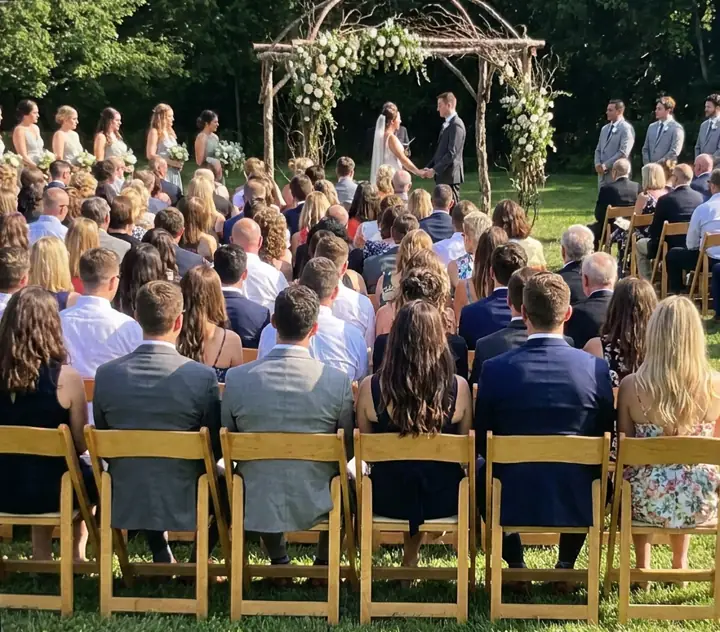
The ceremony is the one part of the day your photographer is guaranteed to cover in full, so asking guests to step back costs you very little.
Why you still want guests' photos later
Once the ceremony is over, your photographer follows the two of you. Your guests are everywhere else: on the dance floor, at the kids' table, outside at 1 a.m. Those are the photos only guests take, which is why "unplugged" should end at the ceremony.
Is an unplugged ceremony right for you?
It's a personal choice, and plenty of couples happily let guests take photos all day. An unplugged ceremony suits you if:
- You've booked a photographer for the ceremony and trust them to cover it.
- Your ceremony space is small, and raised phones would fill every photo.
- The ceremony is religious or very personal, and you'd like it to feel calm.
- You'd rather nobody posts your vows online before you've seen them yourself.
It may not be worth it if you don't have a photographer, or if most of your guests are far away and want to follow along. In that case, ask one or two people to film for everyone, and ask the rest to keep phones down.
A middle way: the "one moment" ceremony
Some couples go fully unplugged for the vows, then invite phones back for one planned moment: the walk back down the aisle, or a confetti exit. The officiant says something like "Now you can take out your phones!" just before the recessional. Guests get the photo they wanted, the vows stay calm, and the confetti photos are often the best of the day.
Step by step
- Invitation or website: a single line saying the ceremony is unplugged and photos are welcome at the reception.
- Welcome sign: repeat it where guests arrive.
- Officiant's announcement: just before you walk in, kindly and briefly.
- Reception tables: a QR card inviting photos and videos.
- MC after the speeches: one reminder to scan and share.
Wording you can copy
Welcome sign
Welcome to our unplugged ceremony We invite you to be fully present with us. Please turn off your phones and cameras. Our photographer will capture every moment, and we'll share them with you.
Officiant's announcement
"Maya and Leo have asked that this ceremony be unplugged. Please put your phones away and enjoy the moment with them. Don't worry, you'll have plenty of chances for photos at the reception, and they'd love you to share them."
Reception table card
Now the phones can come out 📸 Scan to add your photos and videos to our album. No app needed.
Making the switch to the reception
The hardest part of an unplugged ceremony is the change of mood afterwards. Guests who were asked to put phones away may not realise they're welcome now. Make it obvious:
- Say it out loud. The officiant's last line, or the MC's first: "Phones are back! Take as many photos as you like and share them with us."
- Put the QR cards out before guests sit down, so the first thing they see at the table is the invitation to share.
- Mention videos. Guests who held back during the ceremony are often keen to film the first dance and the speeches.
- Ask for specific moments. "We'd love videos of the dance floor" gets more than a general request.
After the wedding
The morning after, send the gallery link to every guest with a thank-you. Mention that you'd love their photos from the reception, and add one of the photographer's ceremony previews if you have it. It reminds guests that the ceremony was covered, and that their photos of the rest of the day are just as precious. Templates are in the morning-after message.
Common questions guests ask
- "Can I take one photo?" Kindly, no. One becomes thirty. Point them to the reception.
- "What about grandparents abroad?" Some couples ask one trusted person to film discreetly for family who couldn't come, or arrange a live stream. Decide in advance and tell that person.
- "When can I start?" Say it clearly: "as soon as we walk back down the aisle" or "from the reception".
Set up your reception gallery: FrameAmour is a QR gallery guests upload to from their phone browser, with no app or account. See how it works, and read wedding guest photo etiquette for more wording.
How FrameAmour completes an unplugged ceremony
- The QR card on every reception table turns "phones away" into "now share everything".
- Guests add photos and videos in seconds, with no app or account.
- Albums for ceremony, dinner and party fill themselves, by when each photo was taken.
- Missing-moment requests let you ask for the dance-floor video you didn't see.