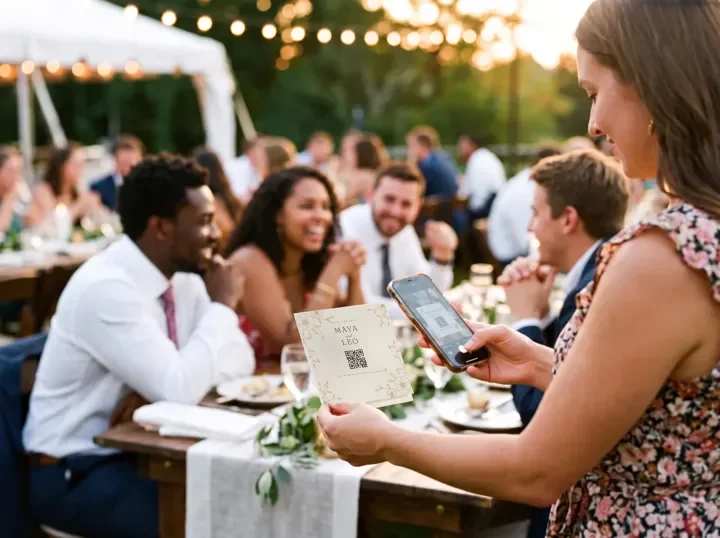
Short answerA digital wedding guest book is one guests fill in from their phones, usually by scanning a QR code. The most popular kinds are photo guest books (guests add photos with a message), video messages and audio guest books. FrameAmour works as a photo guest book: guests add photos and videos, and comments sit beside them.
Four kinds of digital guest book
| Type | What guests leave | Best for |
|---|---|---|
| Photo guest book | Photos and videos, with comments | Couples who want to see the day through their guests' eyes |
| Written guest book | Typed messages | A digital version of the classic book |
| Video messages | Short selfie videos | Hearing and seeing far-away friends |
| Audio guest book | Voice messages, often from a vintage phone | Emotional keepsakes; usually a rented or bought phone |
Why a photo guest book gets the most entries
Asking guests to write something meaningful on the spot is hard. Asking them to share the photo they just took is easy. Their phones are already full of the evening, and a photo with a short comment says more than "Congrats! Love, Tom".
It also gives you something you can't get anywhere else: dozens of different views of the same day, from every table.
How to set up a photo guest book with FrameAmour
- Create your gallery and print the QR card with your names.
- Put a card at the guest book table with a line like "Leave us a photo and a message".
- Turn comments on so guests can write beside their photos. If you prefer, use review mode to read comments before they appear.
- Add a missing-moment request such as "Show us your best dance move" to give guests a prompt.
- Download everything after the wedding to print a book or keep the originals.
Honest note: FrameAmour doesn't have a separate written-message page or voice recordings. If those matter most to you, use a dedicated audio or written guest book alongside your photo gallery.
What to write on the guest book card
Sign our guest book, the modern way 💛 Scan to add a photo or video and leave us a message.
Leave us a memory Scan, share your favourite photo from today, and tell us why.
Make a matching card in the free QR card maker.
Keep the paper book too, if you love it
A digital guest book doesn't have to replace the paper one. Many couples keep the book for signatures and put the QR card right beside it. Guests sign, then scan and add a photo, and you end up with both.